Every codebase has a shape. Folders nest inside folders, files import each other, some modules are load-bearing and some are dead weight, and none of that is visible just by browsing a file tree. You usually only find out the shape of a project the hard way: by grepping through it, or by breaking something.
CodeScope is an attempt to make that shape visible up front.
What it does
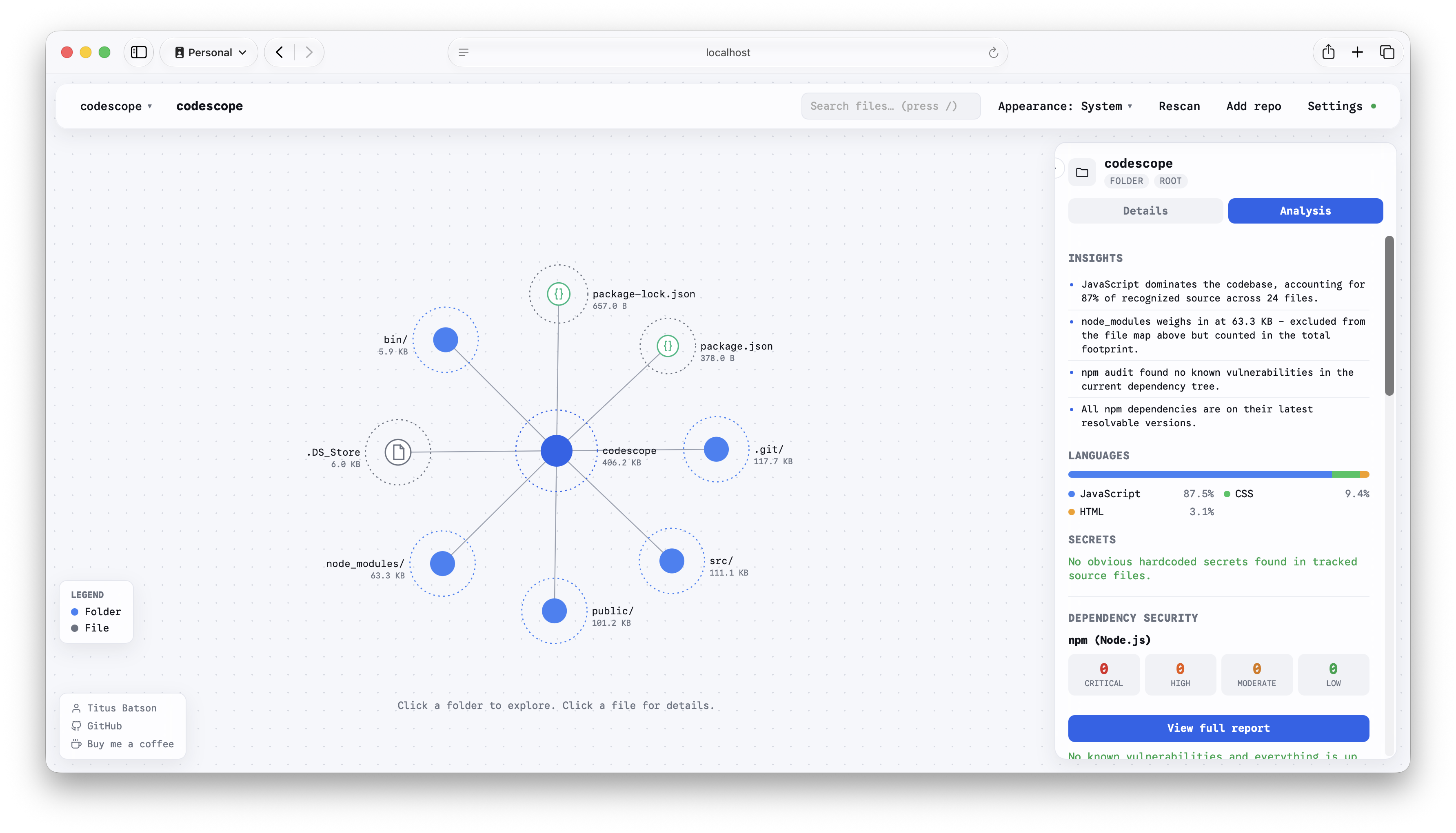
Point CodeScope at a project, local or a public GitHub URL, and it scans the whole thing and renders it as an interactive, force-directed graph: folders and files sized by how much space they take up, with pan, zoom, and click-to-drill-down navigation. It's less a file tree and more a map, one where the big, tangled parts of a codebase are visually obvious before you've read a single line.
The graph is the entry point, not the whole story. Alongside it, CodeScope runs:
- Security scanning for injection patterns (SQL, command, XSS, template, LDAP/XML), auth and access-control issues, insecure crypto, CSRF/CORS/SSRF, hardcoded secrets, and memory/logic issues in C/C++.
- Dependency auditing for npm and Composer packages, plus WordPress plugin/theme freshness checks against the live WordPress.org API.
- Code quality heuristics: complexity and long-function detection, dead code, duplicate blocks, and test-coverage overlays from lcov.
- Git-aware history: contributor breakdown, hot files and churn, and per-file commit history pulled from real git data.
- License compliance checks and one-click CycloneDX SBOM export.
Click into any file or folder and CodeScope also generates a plain-language summary of what it does, powered by Claude when an API key is configured, or a built-in local fallback engine when it isn't, so the tool is still useful with zero external calls.
Two ways to run it
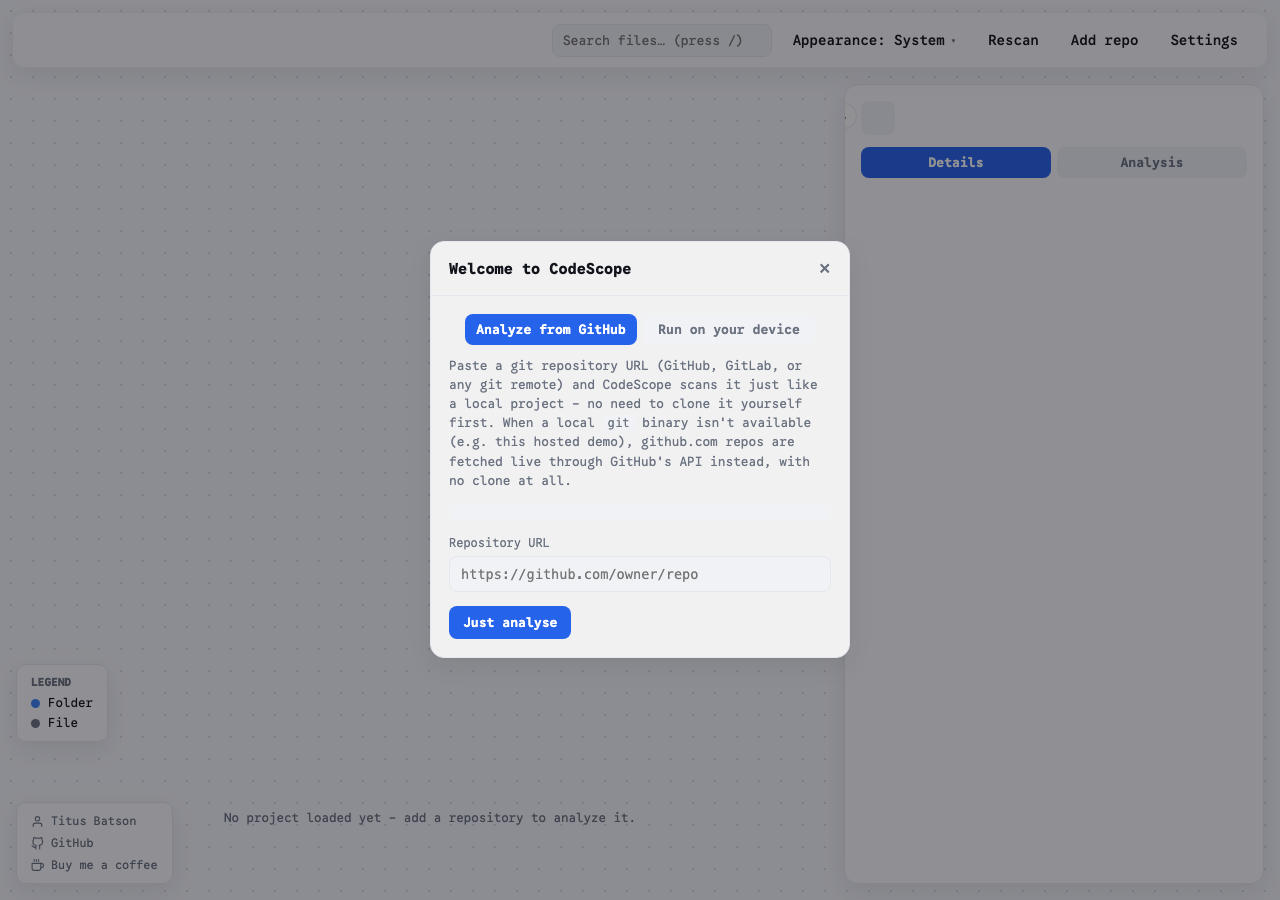
CodeScope works two ways. Run it locally against any project on your machine with a single command, and it opens a dashboard scanning your files directly from disk, nothing leaves your machine unless you've configured an API key or a webhook. Or use the hosted version, which needs no install at all: paste a public GitHub repo URL and it's analyzed on the spot.
That hosted mode runs statelessly, which meant solving a real constraint: no git binary, no persistent disk. So instead of a normal clone, it fetches the repository's file tree and contents straight from GitHub's REST API and CDN. It's a narrower path (public repos only), but it's what makes a true zero-install demo possible.
Built for both people and pipelines
CodeScope also has a CI mode: a headless run that prints a summary and exits non-zero when findings cross a configurable severity threshold, so it can gate a build the same way a linter does. Combine that with webhook notifications on new vulnerabilities or secrets, and it moves from "a dashboard I check sometimes" to something that can sit quietly in a pipeline and only speak up when something's actually wrong.
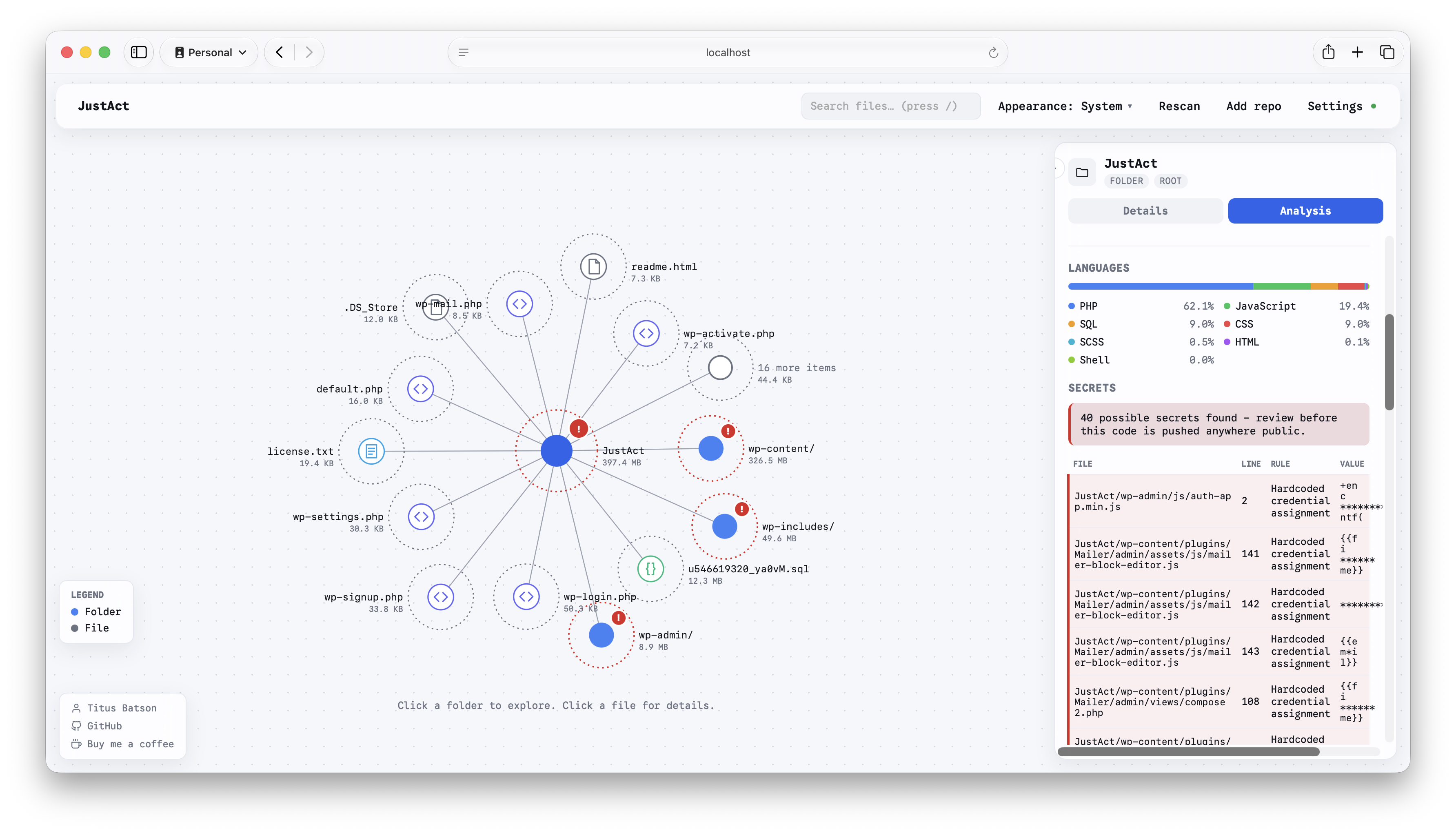
It also supports multi-project mode, so a single running instance can serve several codebases with a project switcher, and every scan is saved locally, so re-scanning a project later shows you the trend, not just a fresh snapshot.
Try it
See the full write-up and stats on the project page, try the hosted demo at codescope-indol.vercel.app, or run it yourself:
git clone https://github.com/btbatson/codescope.git
cd codescope
npm install
node bin/codescope.js /path/to/your/project
It's MIT licensed and open source at github.com/btbatson/codescope.